
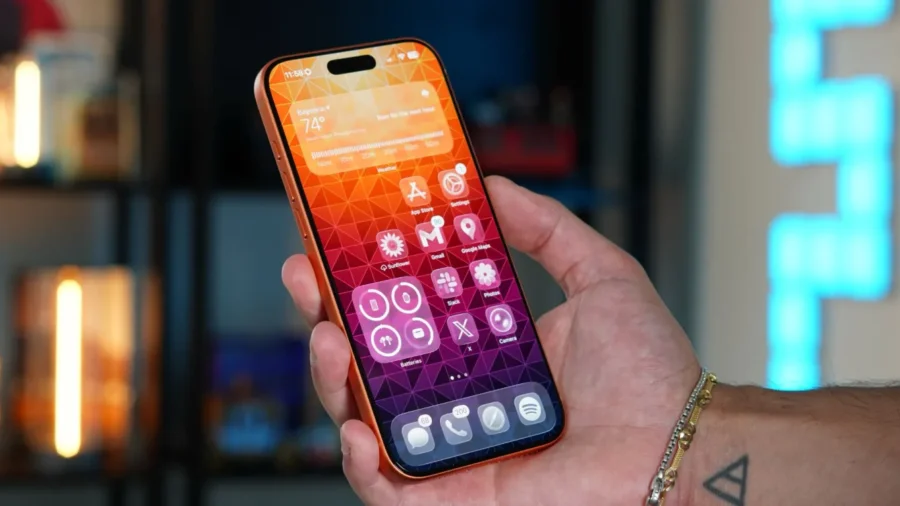
Apple has started the countdown for iOS 27. The new iPhone software that the company will introduce within the scope of WWDC26; It will come with notable innovations in Siri, Camera, Photos, Wallet, Health, keyboard and Safari. In the new version, Apple Intelligence will spread to a wider area of use and artificial intelligence-supported features will be more integrated into the core applications of the iPhone. The big update for iPhone from Apple.
The biggest innovation of iOS 27 will be on the Siri side. Apple’s voice assistant will switch to a comprehensive artificial intelligence infrastructure with the new version. An independent application is being prepared for Siri, which will be on the iPhone home screen. This app will show old conversations users have had with Siri in a list or card view. Users will be able to pin favorite conversations, search past conversations, and start new conversations via the plus button.
The new Siri interface will offer a conversation screen similar to the messaging application. Chat bubbles, text entry area, option to switch to voice mode, and support for getting analysis by uploading documents or photos will be included in this interface. Siri will continue to be invoked via the side button, but will also be integrated into Dynamic Island with iOS 27. Users will be able to follow the process via Dynamic Island while talking to Siri or processing long requests.
Siri’s capabilities will also expand. Features of understanding personal context, detecting content on the screen, and taking action within applications will be implemented with the new version. Siri will be able to perform multiple operations with a single command. When the user says more than one action in the same request, Siri will be able to process them separately. In addition, Ask Siri buttons throughout the system, Siri becoming more visible on the search side, and the “Write with Siri” option on the keyboard are also on the agenda with the new version.
In iOS 27, the Photos application will also receive new tools supported by Apple Intelligence. Apple Intelligence Tools section will be added to the editing screen of the application. This section will feature three new tools called Extend, Enhance and Reframe. Extend will create new visual areas outside the existing frame of the photo. Users will be able to determine how much area to add to the scene by expanding the edges of the photo with their fingers.
The Enhance tool will automatically improve the colors, lighting and overall image quality in the photo. Reframe, on the other hand, will offer perspective changing support, especially for spatial photos. Apple’s existing Clean Up tool is also expected to be developed with new model support. It is stated that Extend and Reframe tools experienced some reliability problems during the testing process. For this reason, the scope of some features in the Photos application may change in the final version or remain in subsequent updates.
The Camera application will have a new Siri mode with iOS 27. This mode will be added alongside existing camera options such as Photo and Video. Siri mode will bring Visual Intelligence features directly to the Camera app. Visual Intelligence is currently available via Camera Control, Control Center, Lock Screen, or Action button. In the new version, this feature will become more visible within the Camera application.
Siri mode in Camera will be offered with a new shutter button based on the Apple Intelligence logo. Users will be able to take action on the objects, texts and documents they see through this mode. Options such as saving nutritional information by scanning nutritional labels on food packages, detecting contact information from business cards or similar sources and adding them to the Contacts will be part of the new system.
The Camera Control shortcut will also continue to be used for Visual Intelligence. Apple Wallet will also become more useful with iOS 27. A new feature called “Create a Pass” will be added to the application. Thanks to this feature, users will be able to transfer physical or digital passes containing QR codes into Apple Wallet. Gym memberships, concert entrances, event tickets, movie tickets and similar cards can be converted into special passes in Wallet.
The Create a Pass feature will be used from the menu with the plus button in the Wallet application. Users will be able to create a new pass from scratch or create a digital ticket by scanning a QR code with the iPhone camera. Apple is testing three templates for this feature: standard, membership and event. The standard template will be used for general use, the membership template will be used for entrances such as gyms, and the event template will be used for match, movie and similar event tickets.
Color, image, icon, text area and style editing options will also be added to the transition creation screen. The health application will receive new features with iOS 27. Some features that Apple previously prepared for a paid Health service can be added directly to the Health application for free. In this context, informative videos prepared by doctors and health experts, artificial intelligence-supported coaching suggestions and more advanced nutrition tracking are on the agenda.
The nutritional label scanning feature in the Camera will also work in conjunction with the nutrition records in the Health application. Some innovations on the health side may not be included in the first version of iOS 27. Apple may make some of these features available with interim updates in the iOS 27 cycle. Recently, changes have been made to the Health application, such as the bedtime view for sleep data and the reintroduction of blood oxygen data on the Vitals screen.
With iOS 27, this area is expected to expand with artificial intelligence-supported recommendations and nutrition tracking. The iOS 27 keyboard may also get a new feature on the automatic correction side. Apple is working on alternative word suggestions that go beyond correcting spelling errors. With a Grammarly-like approach, this system will suggest not only misspelled words but also more appropriate word options in the sentence.
It is possible that the feature works with Apple Intelligence and therefore will be limited to artificial intelligence-supported iPhone models. Automatic naming support for Tab Groups is being prepared in Safari. iOS 27 will be able to automatically name these groups by analyzing the contents of tab groups in Safari. This feature will be supported by Apple Intelligence and will be available optionally. Apple is also using a similar AI approach in areas such as custom episode titles in Apple Podcasts and automatic segmentation in the Reminders app.
iOS 27 will be a version where Apple brings AI more broadly to the iPhone’s core apps. The main headlines of the new version are Siri’s independent application, Siri mode in Camera, productive editing tools in Photos, and Wallet’s support for QR code passes. Apple will share the details of the new software era at the WWDC26 main presentation.






Comments
You can write your views about this story. Comments may be moderated according to site settings.