
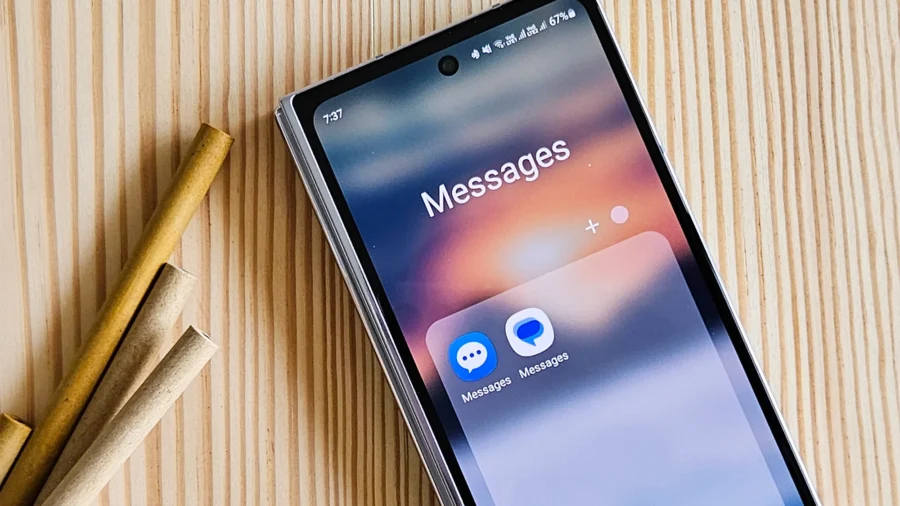
Google Messages has gotten a new sending system for AI-powered smart replies. The Smart Replies feature in the app can now add the selected canned reply as a draft to the text box instead of sending it directly. Thus, the user can check, edit or completely change the suggested response before sending it. A new era for artificial intelligence responses in Google Messages. Smart Replies in Google Messages shows short response suggestions at the bottom of the conversation screen, depending on the context of the incoming message.
These answers are available as small options right above the message writing area. In the previous system, when the user touched one of these suggestions, the response was sent directly to the other party. With the new system, this behavior is changing. When the Tap to draft option is enabled, the message is no longer automatically sent when the user taps on a Smart Reply suggestion. The selected answer is first added to the text field.
The user can then edit this text and also press the send button. In Google Messages, this option is in the Suggestions menu in the Settings menu. In this recently renewed section, there are two different options for Smart Replies behavior under the Suggestions heading. When Tap to send is selected, the old system continues and the suggested response is sent with a single tap. When Tap to draft is selected, the suggested answer is transferred to the text field as a draft.
The default behavior in the application remains Tap to send. Therefore, users who want to use the new system must manually change the relevant setting. The distribution seen in the stable version of Google Messages started with version 20260522_00_RC00. The feature was previously tested in beta version 20260303_00_RC00 in March. The Smart Replies feature is used especially for short confirmations, thanks, replies and quick responses in daily messaging flow.
However, the one-touch sending system could lead to accidentally sent messages and canned responses that were forwarded to the other party without editing. The tap to draft system makes this submission step two-stage. The new structure also makes it easier to personalize the suggested answers. The user does not have to send the short answer offered by artificial intelligence in the same way. Once the response text is in the text area, it can be added, the tone can be changed, or the entire text can be deleted.
Google Messages has recently made different arrangements for the messaging experience. Innovations such as copying only a specific part of the message in the app, real-time location sharing, changes to the trash folder and read receipt design have been tested or rolled out. The Tap to draft option for Smart Replies was also added among these updates. For Android users, Google Messages combines SMS, MMS and RCS messaging in a single application.
Thanks to RCS support, features such as high-resolution media sharing, read receipts, typing indicator, replying to messages and group chats can be used. The new sending system on the Smart Replies side changes the response flow directly on the chat screen.



Comments
You can write your views about this story. Comments may be moderated according to site settings.