
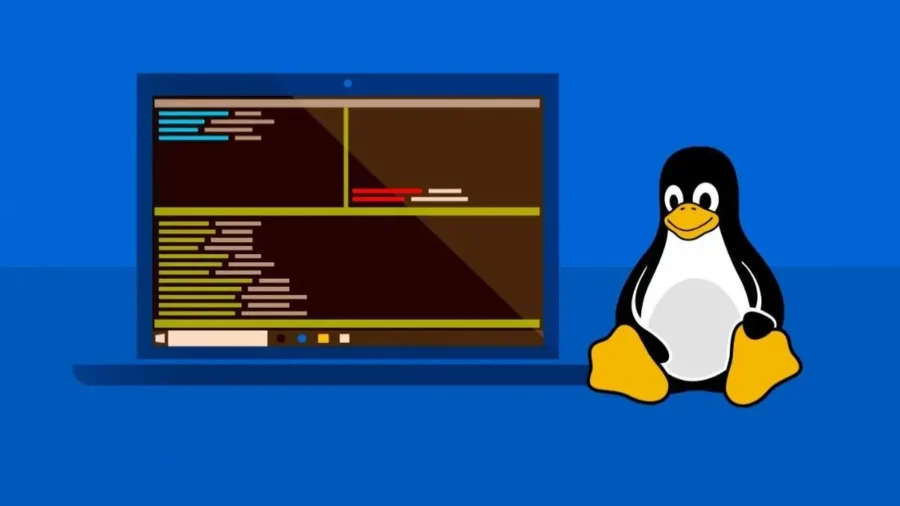
Microsoft announced its new developer-focused experience for Windows 11 as part of Build 2026. With the new system, Linux-like command line tools will run natively on Windows, WSL Containers and Linux containers will be used directly in Windows, and Intelligent Terminal will add artificial intelligence agent support to the terminal screen. The era of Linux tools, WSL containers and smart terminal begins in Windows 11.
Microsoft introduced its new features at Build 2026, which make Windows 11 a platform that can be installed faster for developers, offers more command line tools and is more compatible with Linux-based workflows. According to the information shared by Pavan Davuluri, the manager responsible for Windows and devices, the new experience includes frequently used command line utilities, faster development environment installation, working with Linux containers on Windows and the experimental Intelligent Terminal application.
One of the most important parts of this package was Coreutils for Windows. Microsoft created Coreutils for Windows from the open source uutils project. uutils is known as a cross-platform reimplementation of GNU Coreutils developed with Rust. The new package enables Linux-like command line tools to run natively on Windows. With Coreutils for Windows, developers will be able to use similar commands and workflows when switching between Linux, macOS, WSL, container environments, cloud systems, and Windows.
In Microsoft’s GitHub repository, the package is described as basic UNIX-style utilities for Windows. The package can be installed via WinGet under the name Microsoft.Coreutils. According to the information shared by Microsoft, Coreutils for Windows is now available for general use. The package brings the command line habits that have been used for a long time on Linux and macOS to the Windows side. Thus, developers working with the command line on Windows will not have to rewrite commands or produce separate solutions according to different shell behaviors when switching between different platforms.
Another big innovation on the Windows side was WSL Containers. Microsoft made Windows Subsystem for Linux open source at Build 2025. The company is now integrating WSL with Windows at a deeper level, offering the ability to build, run and manage Linux containers natively on Windows with WSL Containers. WSL Containers will provide developers with both a command line interface and API. With the new exe file on the command line side, Linux containers can be created, run and deployed directly on Windows.
On the API side, developers will be able to run Linux containers programmatically from within native Windows applications. Microsoft announced that this structure can be used in local artificial intelligence workloads, test processes and Linux-based transaction scenarios. On the enterprise side, policy-based activation and management support for WSL Containers is also coming. IT administrators will be able to see which Linux containers are running on developer machines, control which sources images can be obtained from, and manage how containers interact with the host system.
WSL Containers will be available in public preview as a regular update to WSL in the coming months. Microsoft is also expanding the existing Windows Terminal experience with Intelligent Terminal. Announced as an experimental version, Intelligent Terminal connects to artificial intelligence agents via Agent Communication Protocol, or ACP. A special agent panel is offered within the Terminal for running queries, debugging, and completing multi-step tasks.
Intelligent Terminal maintains the existing features of Windows Terminal, such as tabs, profiles, themes, settings, and support for different shells. In addition, there is local agent CLI integration within the terminal. According to the example given by Microsoft, when a command fails, Intelligent Terminal can take the context and offer correction suggestions that can be run in the special agent panel. If a separate agent is not installed on the system, GitHub Copilot can be used.
One of the developer-oriented innovations was Windows Developer Configurations. Microsoft has made this feature generally available. The structure supported by WinGet turns a new Windows 11 device into a development environment ready for coding in a short time. WSL, PowerShell 7, Git, GitHub CLI, Visual Studio Code, Python and other basic developer tools can be installed via the dev-config.winget file. Windows Developer Configurations does not only install applications.
The system enables Git version control in File Explorer, makes file extensions visible, and turns on viewing hidden files. Microsoft also offers workload-specific scripts for container, cloud, and infrastructure development, as well as comfort scripts for installing tools like Homebrew, zsh, and starship on the WSL side. Microsoft is bringing the same developer configuration to the Windows 365 side. Windows 365 with Developer configuration is available in public preview.
This structure makes tools such as Visual Studio Code, Git, GitHub CLI and WSL ready from the first session in the cloud-based Windows 11 development environment. The new Windows 11 developer experience comes as part of broader Windows platform updates that Microsoft announced at Build 2026. At the same event, the company also announced Windows Development Skills, Microsoft Execution Containers, Agent 365 integration, Aion 1.0 models running on the device, Windows AI API expansions and new hardware options for developers.
Native operation of Linux commands, WSL Containers and Intelligent Terminal were among the innovations that will be used directly in the daily developer workflow of Windows 11.





Comments
You can write your views about this story. Comments may be moderated according to site settings.