
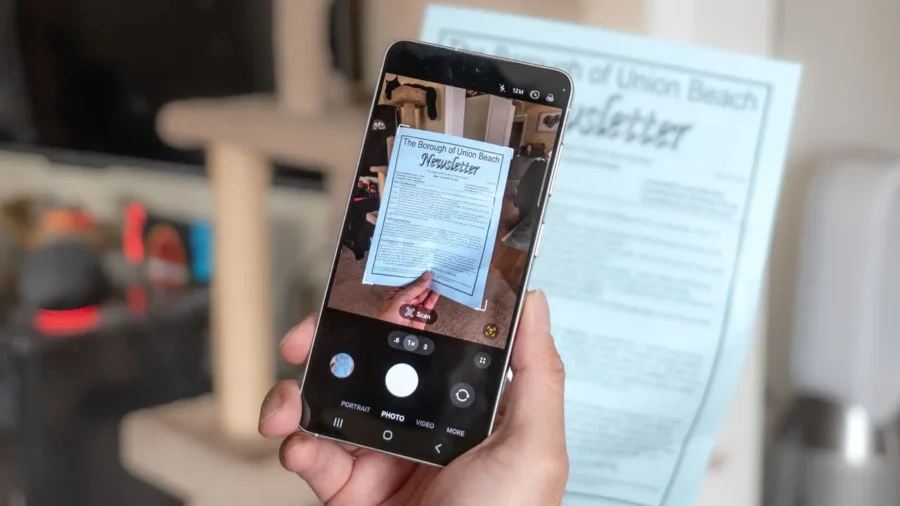
Summary in 10 Seconds The improved Document Scan feature comes to more Galaxy models with One UI 8.5. Users will be able to combine multiple document pages into a single PDF file. The feature is initially expected for the Galaxy S25 series, Galaxy Z Fold7 and Galaxy Z Flip7. It is not yet clear whether this feature will be available in other Galaxy models that will receive the update. Samsung brings the improved document scanning feature, featured with the Galaxy S26 series, to older Galaxy models.
The innovation that will come with One UI 8.5 brings a small change that will make a difference in daily use, especially for those who frequently use their phone camera to scan documents. The main difference of the new system is that it can collect multiple document photos in a single PDF instead of leaving them as individual files. Thus, students, office workers and users who share documents frequently will need less third-party applications.
Samsung’s document scanning feature is also expanding to older models. The document scanning experience in Samsung’s Camera application becomes more useful with One UI 8.5. The new Document Scan feature seen on the Galaxy S26 series focuses on capturing, editing, saving and sharing document photos in a more organized manner. The feature works directly through the stock Camera app. In the previous system, when a multi-page document was scanned, each page could be saved separately.
The new structure allows multiple pages to be combined into a single PDF file. This difference makes the process shorter, especially for multi-page documents such as ID photocopies, contracts, lecture notes, invoices or application documents. Faster access to the camera application comes. The new document scanning tool is not just an option within the camera. Users can activate the Document Scan feature via Camera settings and add a shortcut to the application screen.
When this shortcut is moved to the home screen, the document scanning process can be started directly. The feature’s path in the Camera application also becomes more obvious. On compatible devices, the Scan options can be accessed from Camera settings and the Document Scan switch can be turned on. Then, a separate shortcut can be created with the option “Add Document Scan to the application screen”. Single PDF support will make a difference in daily use.
The document scanning feature is actually not new on smartphones. However, Samsung’s innovation here is that it converts the scanned pages into a more orderly PDF flow and places the process more visibly within the Camera application. The new Document Scan tool includes automatic and manual modes. Also Clean, Natural, Grayscale and Black However, it is not yet clear whether this feature will be offered on other Galaxy devices that will receive One UI 8.5.
This distinction is important. Because a device receiving the One UI 8.5 update may not mean that every new feature in the update will come to that device. Samsung may limit some innovations depending on model, hardware or software compatibility.





Comments
You can write your views about this story. Comments may be moderated according to site settings.