
Smartphones are now the most personal piece of technology in our pockets. Despite this, there is still a lot of misinformation that has been circulating for years about batteries, cameras, charging, security and performance. Claims such as “charging at night kills the battery”, “5G is harmful to health”, “more megapixels mean a better camera” or “closing applications in the background saves the battery” are the most common of these.
The truth is a little more technical but clearer: Hardware, software and security systems in modern phones work much smarter than before. That’s why some old habits are no longer valid; Some of them are completely wrong. Charging the phone overnight does not damage the battery immediately. One of the most common beliefs is that leaving the phone charging overnight directly destroys the battery. Modern smartphones are now much more advanced in terms of battery management.
Devices reduce the charging current when the battery is full, and in some models, the optimized charging feature limits the battery from remaining at 100 percent for a long time. Apple also states that optimized charging aims to preserve battery life by reducing the time the battery spends fully charged. However, this does not mean that “nothing will happen anyway”. One of the biggest enemies of the battery is heat. Charging the phone under a pillow, in a blanket, or on an airtight surface is risky.
Apple’s security warnings clearly state that the device, adapter or wireless charger should not be left under a pillow, blanket or body while working. There is no definitive evidence that 5G harms health. There are many claims circulating on the internet about 5G. However, current scientific evaluations do not provide definitive evidence that radio frequency exposure within established limits causes health problems. The World Health Organization states that research to date has not established a causal link between exposure to wireless technologies and adverse health effects.
This does not mean that research is completely over. Studies on 5G and electromagnetic fields continue. However, saying “5G is definitely harmful” does not accurately reflect today’s scientific picture. More megapixels does not always mean a better camera. The number of megapixels in phone cameras is a powerful data in terms of marketing. However, megapixels alone do not determine photo quality. Sensor size, lens quality, image processing algorithms, optical image stabilization, HDR performance and artificial intelligence-supported scene processing are at least as important as resolution.
Therefore, while a 200 MP camera can give ordinary results with a poorly processed image; A phone with lower megapixels but good sensor and software can take much more balanced photos. More RAM or a larger processor alone does not guarantee speed. Phone performance cannot be explained only by the amount of RAM or the model number of the processor. Interface optimization, storage speed, thermal design, application management and how well the software adapts to the hardware directly affect performance.
That’s why some phones that look powerful on paper may experience heating or slowing down during long-term use. A model with more modest hardware but well optimized may make it feel smoother in daily use. Continuously closing applications in the background will not save the battery. Many users constantly close all applications in the recent applications screen to preserve the battery. But modern iOS and Android versions already handle background management aggressively.
Constantly closing and reopening applications may cause more energy consumption in some cases. The logical approach is this: It is correct to close the application that is causing problems, hanging or consuming abnormal battery. But it is generally not necessary to clear all applications every 10 minutes. Phones do not slow down only because of updates. The thought “The update came, the phone slowed down on purpose” is very common.
Software updates may affect performance on some older devices; But this is not the only reason for the slowdown. The real picture is often more complex: The battery ages, storage fills up, applications become heavier, background services increase, and new operating system features can put more strain on old hardware. Therefore, on a phone that is slowing down, storage space, battery health and background applications should be checked first.
Using the phone while charging is not dangerous in itself. Using the phone while charging is not directly dangerous as long as a quality and original charger is used. The risk arises mostly from heat, damaged cables, poor quality adapters and using the device in an air-free environment. The phone already gets hot while playing games or shooting videos. When fast charging is added to it, the temperature may increase even more.
In this case, the best choice would be to rest the phone for a while. It is not safe to charge it under the pillow. This is one of the clearest mistakes in this list. Charging the phone under the pillow should not be considered safe. Because the device and adapter may get hot during charging. When the air flow is cut off, the temperature increases even more. In short, charging at night is one thing, charging the phone under the pillow is another.
While the former is manageable on modern devices, the latter is an unnecessary security risk. More reception bars does not always mean faster internet. Signal bars on a phone only give a rough idea of connection quality. Internet speed is determined by many factors such as base station density, frequency band used, operator infrastructure, location, indoor reception conditions and network congestion. Therefore, it is possible for a phone with four lines to offer slow internet.
Likewise, although it draws two lines, better speed can be obtained on an empty cell. Dark mode does not provide great battery savings on every phone. The battery saving effect of dark mode is especially significant on OLED screens. Because black pixels on OLED panels work almost off. On LCD screens, the savings are much more limited since the backlight continues to work. So the claim that “dark mode blows battery life” is exaggerated.
It can make a difference on OLED display, especially high brightness; However, one should not expect a miracle on every device. Antivirus applications are not necessary for every user. The security architecture on Android and iOS is much stronger than before. On Android, Google Play Protect can scan applications during and after installation; It can disable or remove harmful applications. Google states that Play Protect regularly checks the applications on the device.
Therefore, third-party antivirus applications are not always mandatory for conscious users. However, the risk level increases for users who install APKs, install applications from unknown stores, or frequently click on suspicious links. The best security is still simple: Up-to-date system, trusted store, strong password, and two-step verification. Clearing the cache every day won’t permanently speed up the phone. Clearing the cache can briefly free up space or fix a problematic app.
However, doing this every day does not usually provide permanent performance improvements. In fact, initial startups may become slower as applications recreate the data they need. Cache clearing is not a routine speed-up method; It should be considered more of a troubleshooting step. Night mode is not true night vision. Night mode on phones does not work like a military-type night vision system. It often uses long exposure, multi-frame stitching, noise reduction and AI-assisted image processing.
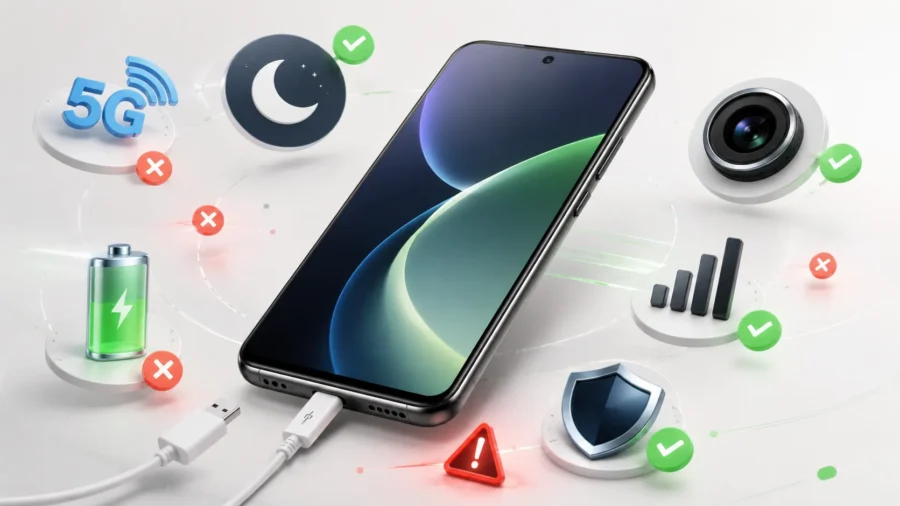
So the phone does not “see” in the dark; It collects the available light more efficiently and creates a brighter image with the software. That’s why night mode can give good results, but blurring, artificial sharpness or chromatic aberrations may occur in moving scenes. A low signal can actually drain the battery faster. This is one of the items correctly marked in the infographic. The phone tries harder to stay connected to the network when the signal is weak.
Power consumption may increase when searching for a base station, maintaining the connection, and transferring data. This is one of the reasons why the battery decreases faster, especially in closed areas, basements or rural areas. Conclusion: Phone legends are old, but habits have not changed. Smartphones have changed seriously in the last 10 years. Battery management has become smarter, cameras more software-focused, security systems more powerful, and processors more complex.
Despite this, user habits are still shaped by old advice. Today, the correct approach is to keep the phone cool, use reliable charging equipment, keep the system up to date, stay away from unknown applications, and do not evaluate performance only by looking at the specifications table. Because the real difference in modern phones comes in how well the hardware and software work together.






Comments
You can write your views about this story. Comments may be moderated according to site settings.