
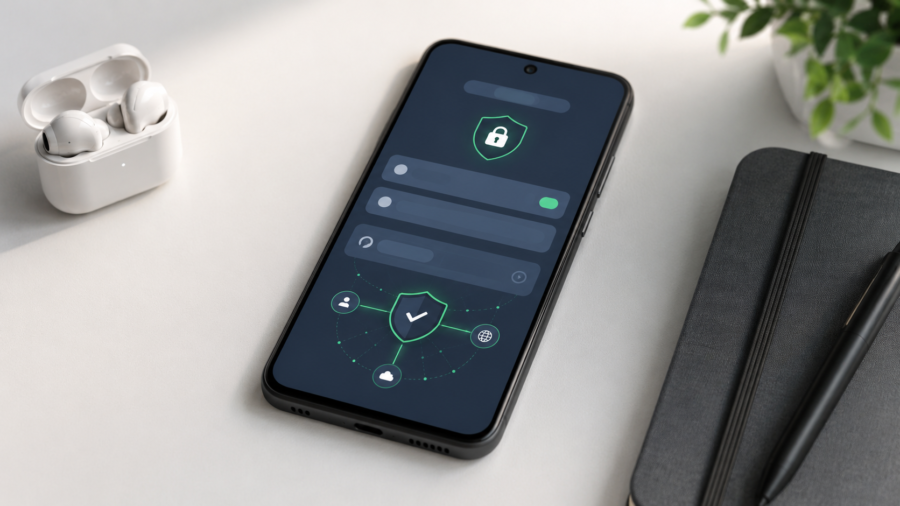
Private DNS is one of the most useful Android settings many people never notice. It sounds technical, but the idea is simple: it helps protect the way your phone looks up websites and online services.
Every time you open a website or use many internet-connected apps, your device needs to translate a domain name into an internet address. That lookup is handled by DNS, which is often described as the internet’s address book.
Private DNS makes that lookup more private by using encrypted DNS.
On Android, Private DNS uses DNS over TLS, also known as DoT. Cloudflare’s Android setup documentation says Android 9 and later support Private DNS through DNS over TLS, and Android 11 and later can use it across networks, including cellular connections.
That means your phone can send DNS queries through an encrypted connection to a DNS provider instead of sending them in a more exposed way through the default network resolver.
What Does Private DNS Mean?
Private DNS means your device uses an encrypted DNS provider to look up website addresses.
Without DNS, your phone would not know where to send you when you type a website name or open an app that connects to online servers. DNS turns names into addresses so the connection can happen.
The “private” part does not mean your entire internet activity becomes invisible. It means the DNS lookup itself is encrypted between your device and the DNS provider.
That is an important difference. Private DNS can improve privacy, but it is not the same thing as a VPN. It does not automatically hide your IP address from websites, and it does not encrypt every part of your internet traffic.
What Does Private DNS Do on Android?
Private DNS helps Android encrypt DNS queries. This can reduce casual monitoring of the domain names your device is looking up, especially on public Wi-Fi or networks you do not fully trust.
Google’s support page says Android devices can use Private DNS and recommends keeping Private DNS turned on when available. It also notes that users can find it under Settings > Network & internet > Private DNS, though the exact menu may vary by device manufacturer.
Cloudflare explains that when Private DNS is configured on Android, the device uses the selected DNS resolver across networks without needing to change settings for each Wi-Fi network separately.
That makes the feature useful for people who often switch between home Wi-Fi, work Wi-Fi, public Wi-Fi and mobile data.
Should You Turn Private DNS On?
For most Android users, turning on Private DNS is a good idea if they use a trusted DNS provider.
The benefits are practical:
Private DNS can make DNS lookups more private.
It can work across Wi-Fi and mobile data.
It may help avoid unreliable DNS settings from some networks.
Some DNS providers can also block known malware or adult-content domains if you choose a filtering option.
Cloudflare, for example, offers 1.1.1.1 for Families, which can block malware domains or both malware and adult content depending on the resolver selected. Cloudflare says malicious domains can be blocked by returning 0.0.0.0 instead of the real address.
But Private DNS is not magic. It does not replace safe browsing habits. It does not guarantee anonymity. It does not stop every tracker. It also does not make unsafe websites safe.
How to Find Private DNS Settings on Android
The exact path can vary, but on many Android phones the setting is found here:
Settings > Network & internet > Private DNSOn some phones, you may need to search for “Private DNS” inside the Settings app.
Google’s support page says users can open the device Settings app, tap Network & internet, then Private DNS. If the setting is not visible, users should search for “Private DNS” or check with their device manufacturer.
Once there, Android usually offers options such as:
Off
Automatic
Private DNS provider hostname
For most people, Automatic is enough. But if you want to use a specific DNS provider, choose Private DNS provider hostname and enter the provider’s hostname.
Example Private DNS Hostnames
For Cloudflare 1.1.1.1 on Android, Cloudflare’s documentation lists hostnames such as:
one.one.one.oneFor Android 9 Pie guidance, Cloudflare also documented:
1dot1dot1dot1.cloudflare-dns.comCloudflare says Android Private DNS uses DNS over TLS, and the provider hostname option is used instead of simply entering an IP address.
Google Public DNS is another well-known public DNS provider. Google says users must explicitly change DNS settings on their device or operating system to use Google Public DNS instead of the default DNS resolver from the network provider.
Private DNS vs VPN: What Is the Difference?
Private DNS and VPNs are often confused, but they are not the same.
Private DNS mainly protects DNS lookups. It helps encrypt the step where your phone asks, “Where is this website?”
A VPN routes more of your internet traffic through a VPN server. Depending on the provider, it may hide your IP address from websites, encrypt traffic between your device and the VPN server, and change your apparent location.
Private DNS is lighter and built into Android. A VPN is broader but usually requires an app or separate service.
So if your goal is simple DNS privacy, Private DNS may be enough. If your goal is full network privacy, location masking or secure tunneling on public Wi-Fi, a reputable VPN may be more appropriate.
Can Private DNS Make Internet Faster?
Sometimes, but not always.
A good DNS provider may respond faster than your default network DNS. That can make some websites begin loading more quickly. But Private DNS does not speed up your actual internet connection in the same way that faster mobile data or Wi-Fi would.
If your pages are slow because of weak signal, overloaded Wi-Fi or a slow website, changing DNS will not fix everything.
The safest way to think about Private DNS is this: it can improve privacy and reliability, and it may improve lookup speed in some cases, but it is not a guaranteed speed booster.
When Private DNS Can Cause Problems
Private DNS can occasionally cause connection issues.
Some public Wi-Fi networks, schools, workplaces or mobile carriers may block or interfere with DNS over TLS. If that happens, Android may show a message such as “Private DNS server cannot be accessed,” or some websites may fail to load.
In that case, you can switch Private DNS back to Automatic or Off temporarily.
This does not mean Private DNS is bad. It usually means the network you are using does not support the selected DNS setup properly.
Best Private DNS Settings for Most Users
For most people, the safest setup is:
Private DNS: AutomaticIf you want stronger control, use a trusted provider hostname from a provider you understand.
Common choices include privacy-focused DNS providers, security-focused DNS providers, or family-filtering DNS providers. The best option depends on your goal:
Privacy: use a trusted encrypted DNS provider
Security filtering: use a provider that blocks malware domains
Family filtering: use a provider with adult-content blocking
Simple setup: keep Android Private DNS on Automatic
Avoid random DNS hostnames from unknown websites. DNS is a sensitive part of your internet connection, so the provider should be trustworthy.
Why People Search for Private DNS Settings
Searches like “private dns,” “private dns settings,” “what is private dns” and “private dns means” are growing because more people are trying to understand mobile privacy settings.
Android makes the feature available, but the name is not very clear. Many users find it by accident while changing network settings and want to know whether it should be turned on or off.
The simple answer is:
Private DNS is usually useful when configured correctly. It can improve DNS privacy and may make browsing more reliable. But it is not a full privacy solution, and it should only be used with a trusted DNS provider.
Final Answer
Private DNS on Android is a built-in setting that encrypts DNS lookups using DNS over TLS. It helps protect the website lookup process from casual monitoring and can work across Wi-Fi and mobile networks when properly configured.
For most Android users, keeping Private DNS on Automatic is a safe choice. More advanced users can enter a trusted DNS provider hostname for extra control.
Private DNS will not make you anonymous, and it will not replace a VPN. But as a simple Android privacy setting, it is worth understanding and often worth using.




Comments
You can write your views about this story. Comments may be moderated according to site settings.