
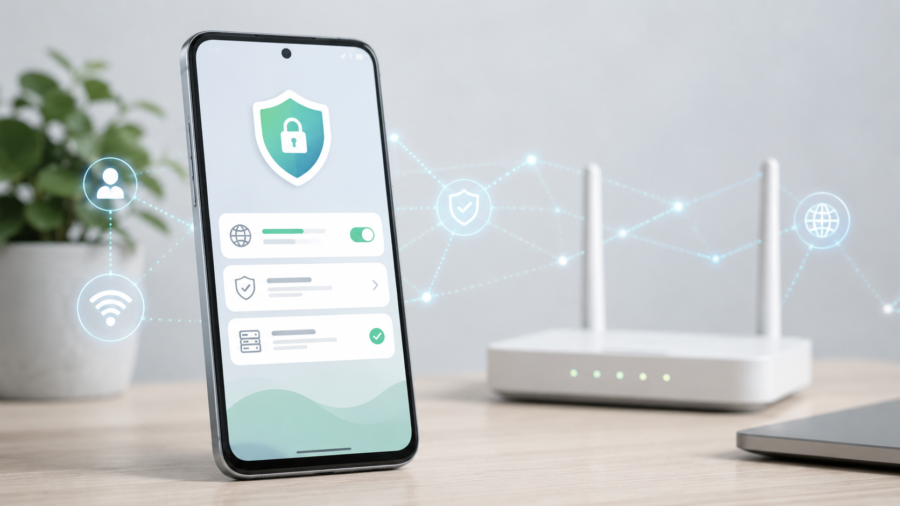
Private DNS is one of the most useful Android features for people who want more control over how their phone connects to websites and online services. But many users still do not know where the setting is, what it means or whether they should use a DNS app instead of changing settings manually.
That is where apps like DNS Changer Pro can help.
DNS Changer Pro is an Android app designed to make DNS management easier without requiring root access. According to its Google Play listing, the app helps users change and manage DNS settings with one-tap DNS connection, ready-to-use DNS profiles and support for both Wi-Fi and mobile networks.
The app is especially useful for users who search for terms like “private DNS,” “private DNS settings,” “what is private DNS” or “private DNS means” but do not want to deal with complicated network menus.
What Is Private DNS?
Private DNS is a setting that helps protect DNS lookups. DNS is the system that turns website names into internet addresses. When you open a website, your phone first needs to find where that website is located. That lookup happens through DNS.
Private DNS can encrypt that lookup when supported by your device, network and DNS provider. On Android, this often works through DNS over TLS, also known as DoT.
This does not make your entire internet connection anonymous. It is not the same as a VPN. But it can improve the privacy of DNS lookups and give users more control over which DNS provider their phone uses.
What DNS Changer Pro Offers
DNS Changer Pro is built for users who want a simpler way to change DNS on Android.
The Google Play listing says the app includes ready-to-use DNS profiles and supports trusted DNS providers such as Cloudflare, Google DNS, Quad9, OpenDNS and AdGuard. It also includes DNS tools for testing the connection, checking DNS status and using more advanced DNS controls.
That makes it more practical than manually entering DNS information for users who are not comfortable with technical settings.
The app’s key features include:
Change DNS without root
One-tap DNS connection
Wi-Fi and mobile network support
Ready-to-use DNS profiles
Secure and privacy-focused DNS options
Family-safe DNS profiles
Gaming DNS profiles
DoH and DoT profile support
DNS test tool
DNS leak test
Smart DNS selection
Advanced DNS status tools
Light and dark theme support
These features are listed on the app’s Play Store page.
Why Use a DNS App Instead of Manual Settings?
Android already includes Private DNS settings, but not every user knows where to find them. On some phones, the setting may be under Network & internet. On others, it may be harder to locate because manufacturers change the settings layout.
A DNS app can make the process easier by putting profiles and controls in one place.
For example, a user may want to quickly switch between a privacy-focused DNS provider, a gaming DNS profile or a family-safe DNS profile. Doing that manually can be annoying. DNS Changer Pro is designed to make switching faster and cleaner.
Can DNS Changer Pro Improve Speed?
DNS can sometimes affect how quickly websites begin loading because DNS lookup happens before a connection starts. A faster or more reliable DNS provider may improve response time in some cases.
However, DNS does not magically increase your internet speed. If your Wi-Fi signal is weak, your mobile data is slow or a website server is overloaded, changing DNS will not fix everything.
The safer way to explain it is this: a DNS app may help with DNS response and reliability, but it should not be treated as a guaranteed speed booster.
Gaming DNS Profiles
DNS Changer Pro also includes gaming-focused DNS profiles, according to its Play Store listing.
For gamers, DNS may help with domain resolution and connection reliability, but it is important not to overstate the benefit. DNS usually does not directly reduce in-game ping once the connection is already established. Network quality, server location, routing and connection stability matter more.
Still, having a quick way to test different DNS profiles can be useful for players who want to find the most reliable setup for their network.
Family-Safe DNS Options
Another useful feature is family-safe DNS profiles. These can help reduce access to harmful or adult content depending on the DNS provider and profile used.
This is not a full parental control system. It should not replace device-level parental controls, safe search settings or family supervision tools. But it can be one extra layer for users who want simpler filtering at the DNS level.
DNS over HTTPS and DNS over TLS
The app listing says DNS Changer Pro supports encrypted DNS profile options such as DNS over HTTPS and DNS over TLS where supported by the device and network.
This is important because encrypted DNS is one of the main reasons people search for Private DNS settings. DoH and DoT can help protect DNS queries from casual monitoring, though they do not replace a VPN or complete privacy setup.
Premium Features
DNS Changer Pro includes ads and in-app purchases, according to its Google Play listing. The listing says Premium can remove ads and unlock all DNS profiles, Smart DNS selection, DNS leak test, encrypted DNS profiles and advanced DNS status tools.
That means users can try the app first and then decide whether the premium tools are useful for their needs.
Data Safety
The Play Store listing shows that DNS Changer Pro declares no data shared with third parties, no data collected, and data encrypted in transit.
That is a positive signal for a network-related app because users choosing DNS tools often care about privacy. Still, users should always review the latest Play Store data safety section and privacy policy before installing any app that affects network settings.
Who Should Try DNS Changer Pro?
DNS Changer Pro may be useful for:
Android users who want to change DNS without root
People who want ready DNS profiles instead of manual setup
Users who switch between Wi-Fi and mobile data
People looking for private DNS settings on Android
Users who want DNS test and DNS leak test tools
Families who want DNS-level filtering options
Gamers who want to test DNS profiles easily
It is less necessary for users who are already comfortable configuring Android Private DNS manually and only use one DNS provider all the time.
Final Verdict
DNS Changer Pro is a practical Android DNS app for users who want a cleaner way to manage Private DNS and DNS profiles without root access.
It does not replace a VPN, and it should not be described as a complete privacy or speed solution. But for Android users who want one-tap DNS switching, ready profiles, encrypted DNS options and DNS testing tools, it can be a useful app to try.
For people already searching for “private DNS settings” or “what is private DNS,” DNS Changer Pro gives a more beginner-friendly way to manage DNS without digging through Android menus.




Comments
You can write your views about this story. Comments may be moderated according to site settings.