
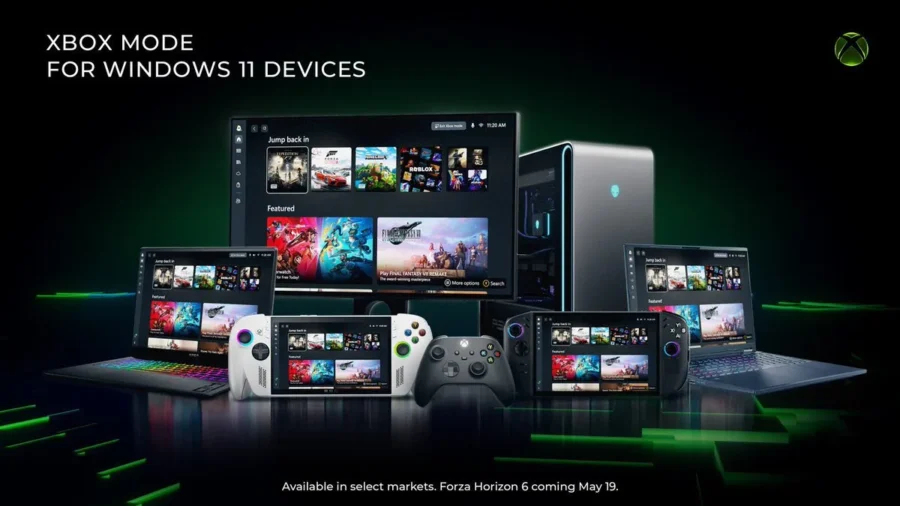
Microsoft’s Xbox Mode feature, which has been awaited for a while, is now available for PCs with Windows 11. The system, which was previously on the agenda through handheld consoles and full-screen Xbox experience, is now distributed as a wider Windows 11 gaming interface, including laptops, desktop computers and tablets. The feature is currently being released gradually and is available in supported markets. Xbox Mode has arrived on PC: Windows 11 gaming interface is changing.
Xbox Mode offers a separate full-screen game-focused experience in Windows 11. When the system is turned on, the user is greeted with an interface closer to Xbox consoles rather than the classic desktop. This interface has been prepared specifically for use with the controller. Players can more directly access their game libraries, recently played games, Game Pass content and titles within the Xbox application. The most important aspect of the new mode is that it simplifies the gaming experience on PC.
Microsoft states that when Xbox Mode is on, Windows offers a full-screen structure that focuses on the game and reduces background distractions. This means console-like usage, especially for Windows handheld consoles and PC systems connected to televisions. The desktop interface, window transitions and keyboard-mouse-oriented structure remain in the background, and the user moves directly to a game-oriented screen. The feature is not limited to Xbox games only.
Content from different gaming platforms can also be collected in the same library via the Xbox application. Thus, games installed on the PC become more accessible with a single launcher logic. With the April Xbox update, innovations such as the ability for users to manually add their favorite games to the Xbox library, pinning three favorite games to the home screen, using the cursor with the controller, and changing the notification location were also added to the PC side.
To use Xbox Mode, Windows 11 version 24H2 or newer is required. Installation is done from the Game section in the Settings menu. From here, users can enter the Xbox Mode option and enable the feature. After activation, you can switch to the mode via the Xbox application and Game Bar. Users can also add Xbox Mode to the Task View if they wish. On Microsoft’s support page, the Windows logo key F11 shortcut is also among the ways to switch to Xbox Mode.
On the performance side, Microsoft’s emphasis is mostly on reducing background load and a smoother gaming experience. Therefore, it would not be correct to say that Xbox Mode provides a huge FPS increase in every game. The effect of the mode varies depending on the device used, running applications and game. However, the system’s ability to limit unnecessary distractions in the background during the game provides a cleaner experience, especially on low-power handheld consoles and PC setups suitable for living room use.
The arrival of Xbox Mode on PC shows that Microsoft has further thinned the line between Windows and Xbox. The company has recently highlighted the console-like experience, especially on ROG Xbox Ally and similar Windows-based handheld consoles. Now the same approach is being carried over to classic Windows 11 PCs. Thus, users can use a more directly game-centered interface on Windows devices, whether on a desktop computer, laptop or tablet.
Due to the gradual distribution, Xbox Mode may not appear for every user at this time. The feature is available in supported markets and on devices with the appropriate Windows 11 version. For this reason, users who do not yet see the Xbox Mode option in the Settings menu should check Windows updates and the current version of the Xbox application.






Comments
You can write your views about this story. Comments may be moderated according to site settings.